If you've ever scrolled through hundreds of listings looking for the one card you actually want, this update is for you.
What's new at a glance
- A new top-level navigation strip across Browse, Steals & Deals, and Needed.
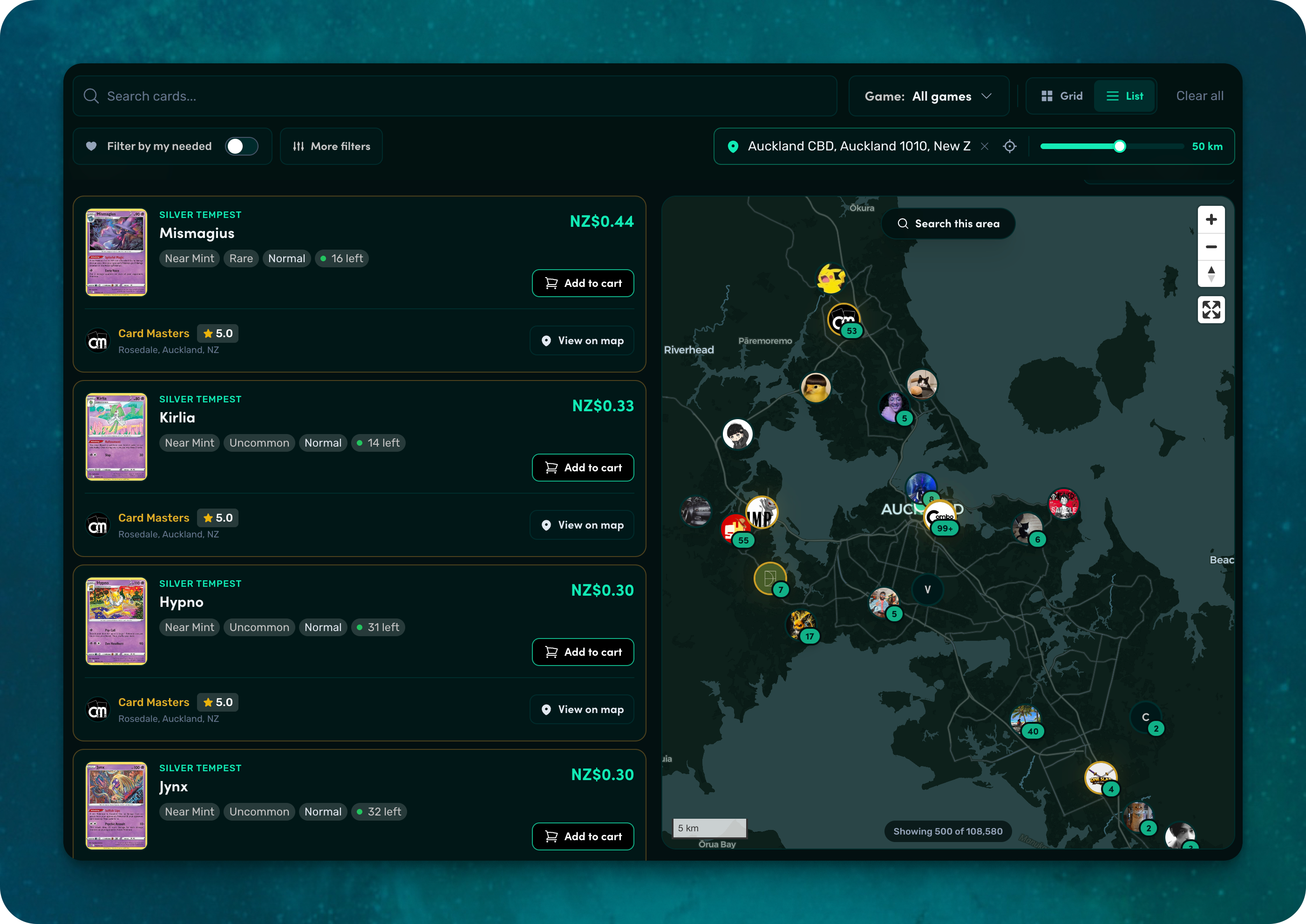
- A real map view — Airbnb-style — so you can see exactly where listings are around the country.
- Address search with autocomplete, plus a “Search near me” shortcut.
- A radius slider so you can scope listings from 5 km out to 1,000 km.
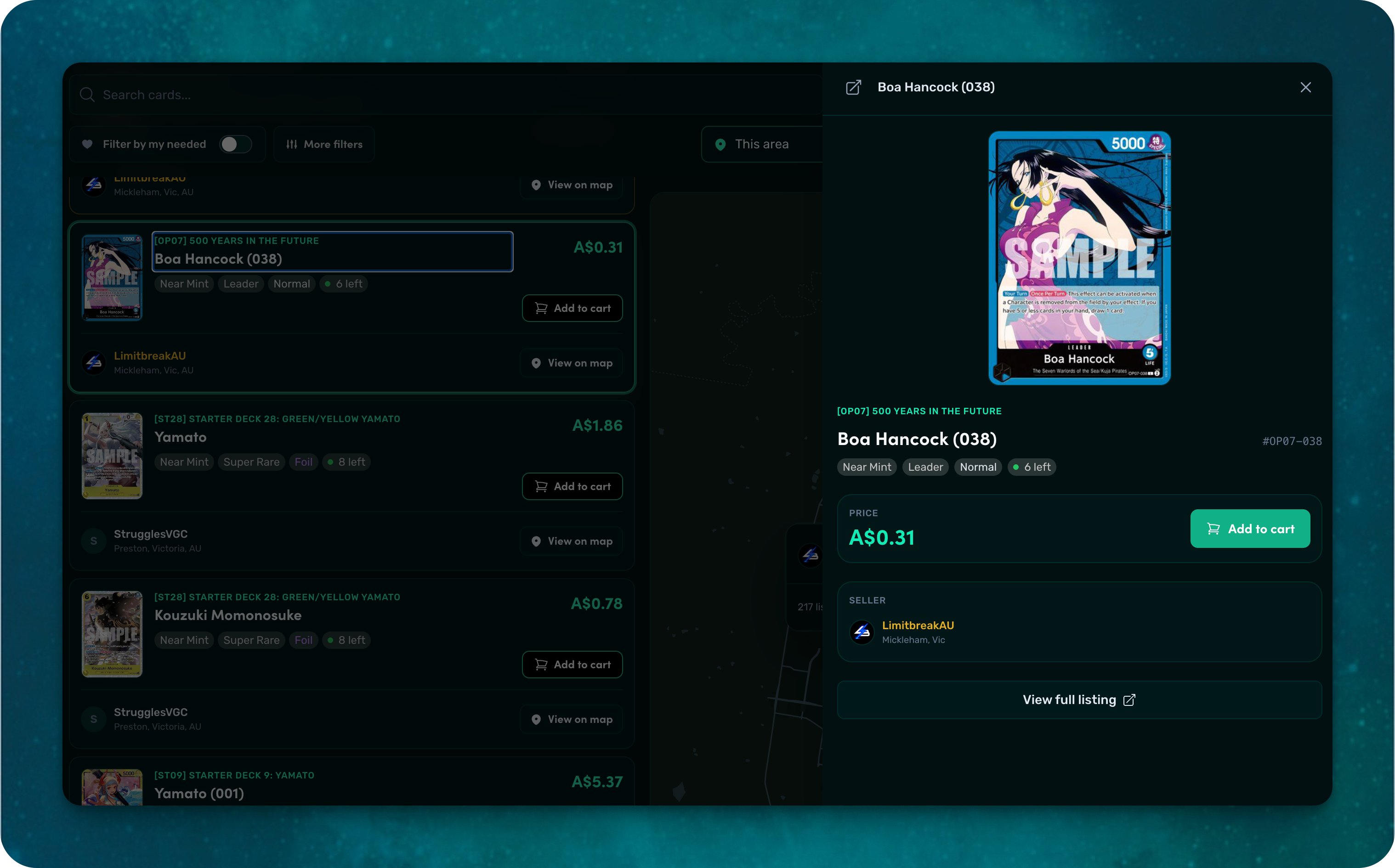
- Listings now open in a drawer — no more losing your filters when you click through.
- Photo-count badges so you can see at a glance which sellers have uploaded extra photos.
- Faster loads, cleaner pins, and a smarter map that groups multiple sellers in the same spot into a single tap.
The big one: your Needed list now does the heavy lifting
This is the update we're most excited about.
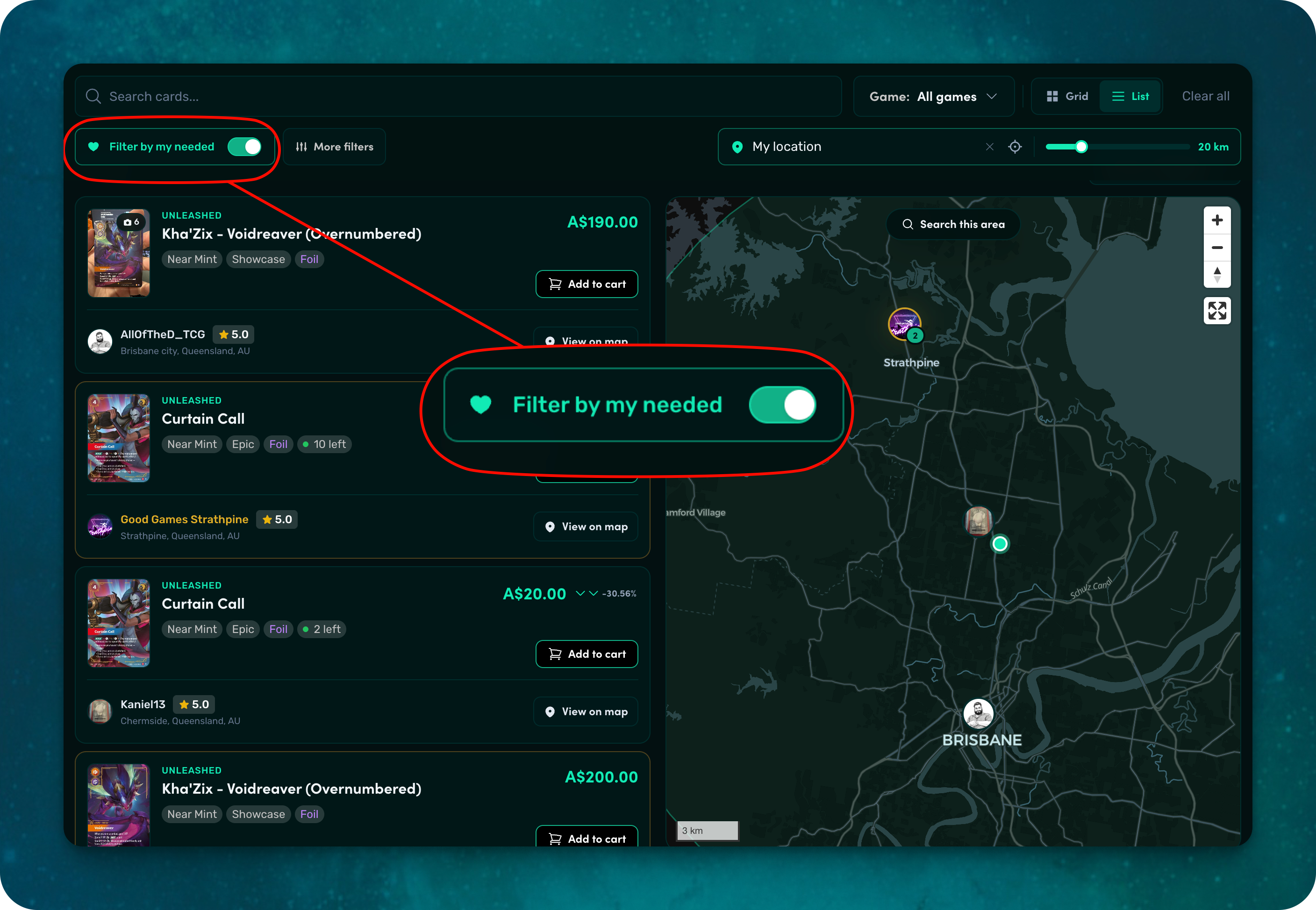
Hit the Needed tab and the marketplace instantly filters down to listings that match the cards on your needed list — across every collection you've built. No more manually searching set-by-set. No more cross-referencing your binders.
A few things to know:
- The Needed tab is locked into “filter by my needed” mode, because that's the whole point of the page. Want to see everything? Hit Browse — we'll even nudge you there if you tap the toggle.
- The same “Filter by my needed” switch is available on Browse and Steals & Deals too — so you can layer it on top of any other filter you've already set (game, set, rarity, finish, condition, price).
- Combine it with the map view and you can answer the question every collector has: “Who near me has the cards I'm chasing?” Set your address, dial the radius down to 50 km, flip on Filter by my needed — and there it is, your wishlist on a map.
- Combine it with Steals & Deals and you'll see the best-priced cards on Fetch that you actually need. No noise, just signal.
The more cards you add to your needed list, the better the marketplace gets. It's worth the few minutes to build it out.
Browse the way you actually shop
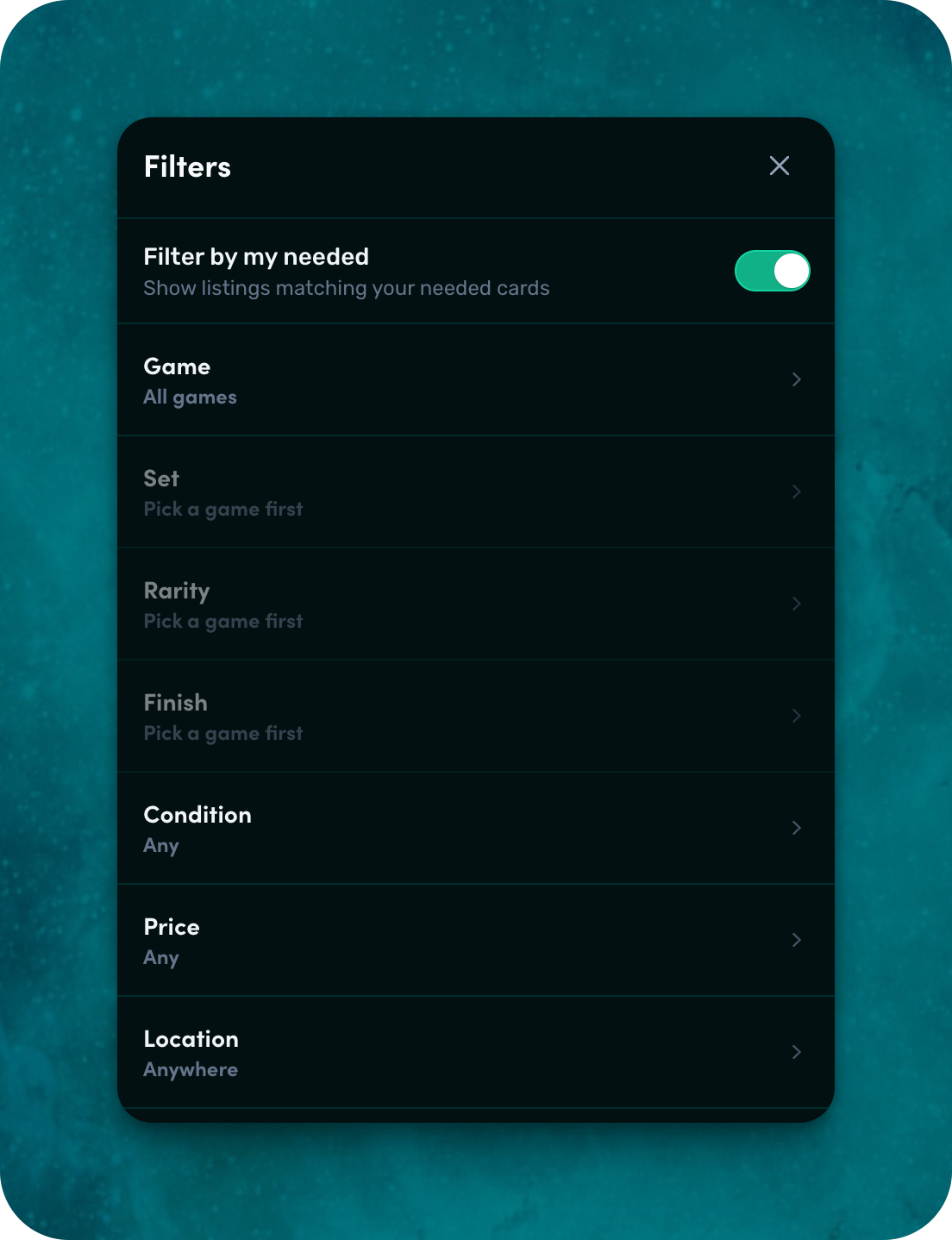
Most people don't shop with one filter — they shop with a mental model. “Show me Charizards from Base Set, near-mint or better, holos only, under $300, within 100 km of me, that I haven't already got.” That's the kind of question the new marketplace can answer in seconds.
Every filter — game, set, rarity, finish, condition, sort, price, location, and your needed list — is now layered, persistent in the URL, and applied instantly. Bookmark a search you love. Send a friend a link with all your filters baked in. Open it again next week and it'll look exactly the same.
A map that actually helps
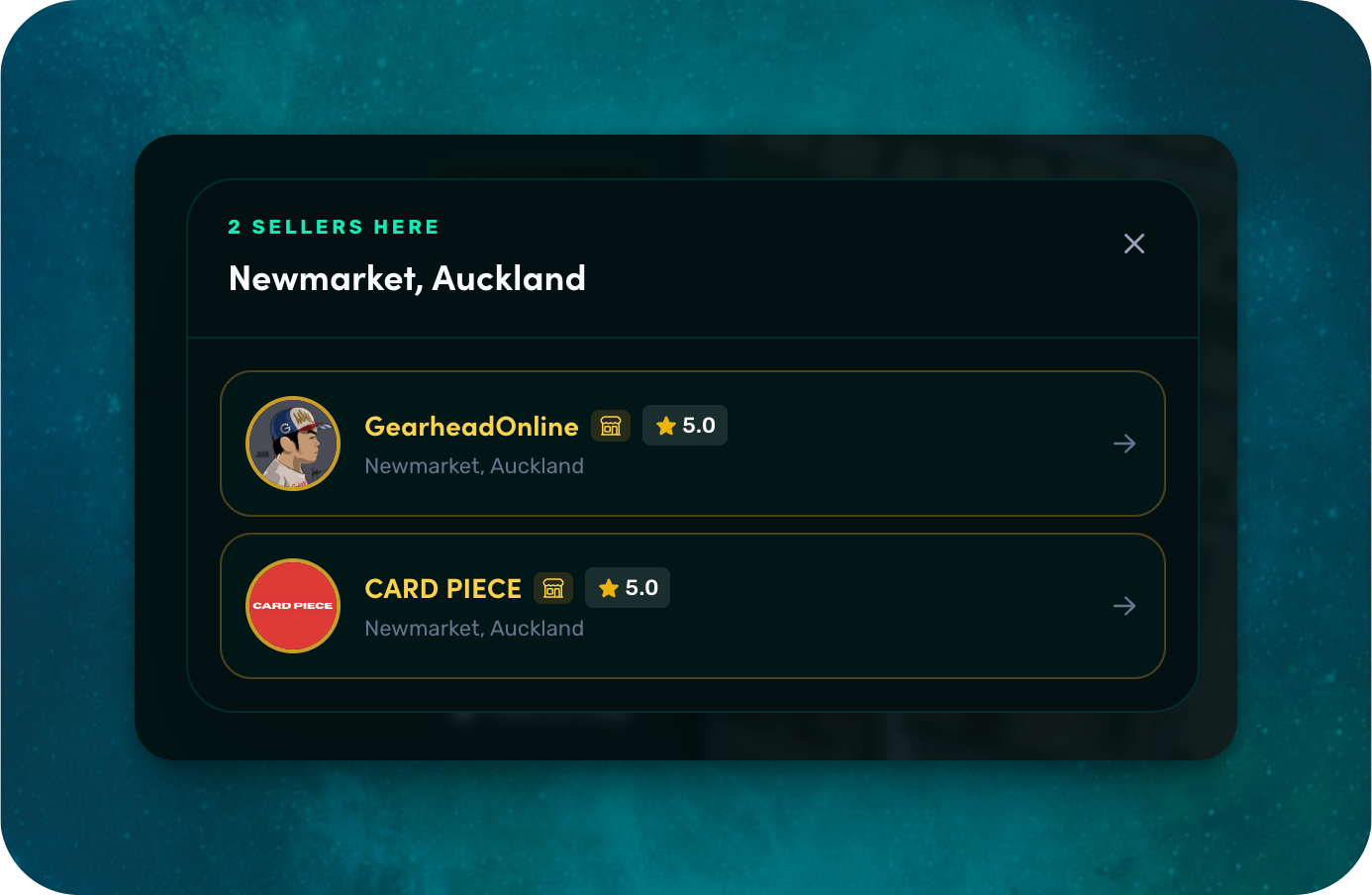
We didn't just bolt a map onto the side. We rebuilt it.
- Sellers, not pins. Each pin is a circular avatar of an actual seller. When sellers stand in the same spot — common in card stores or at events — they stack into a cluster you can tap to expand.
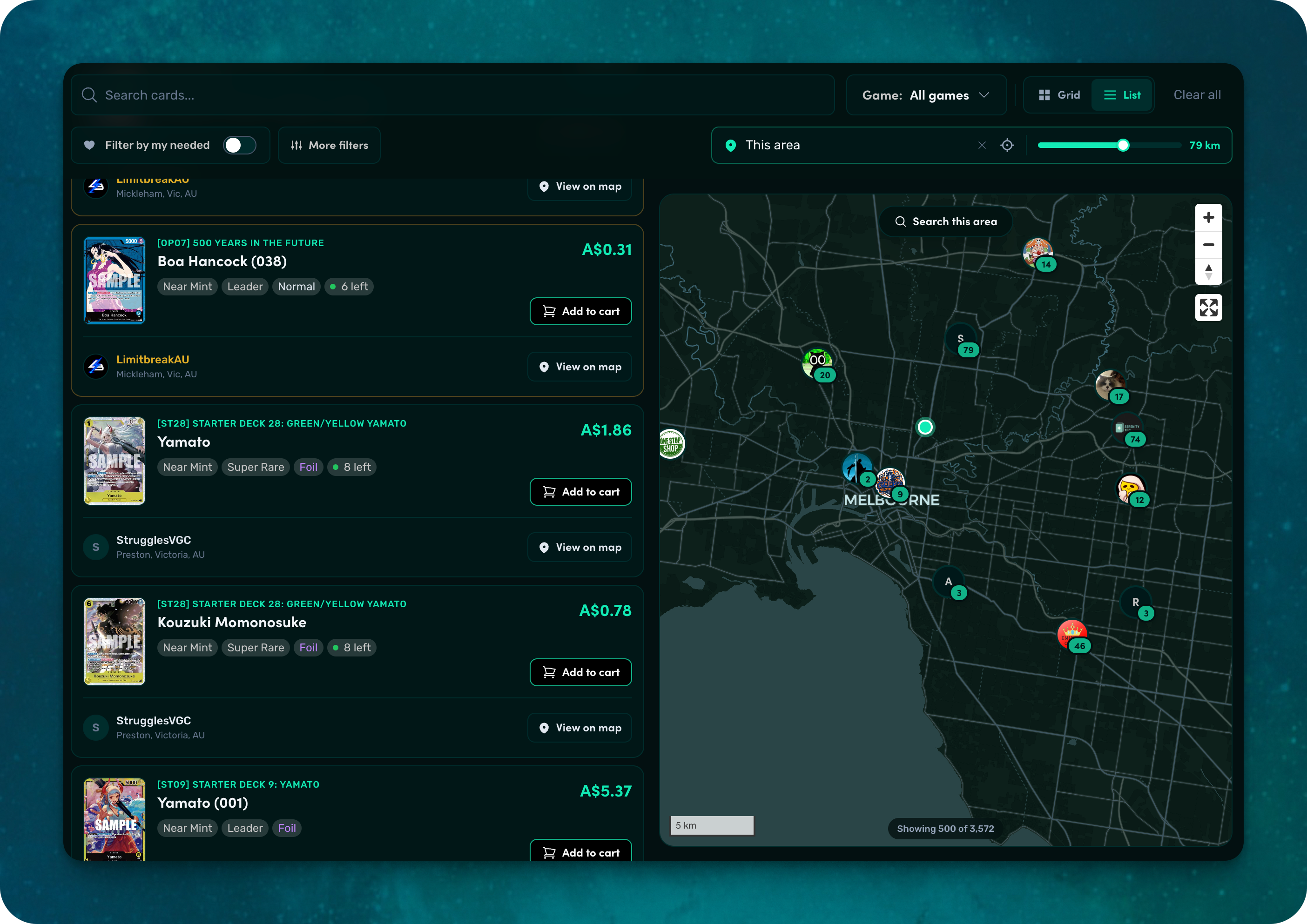
- Hover the list, light up the map. Hover the map, scroll the matching listing into view. The list and map move together.
- Search this area. Pan or zoom anywhere — the city you're moving to, the suburb you're visiting next weekend — and refresh listings around the new center with one tap.
- Sticky split view. The map stays put as you scroll the list, so you never lose your bearings.
Faster, lighter, and ready for big result sets
Behind the scenes we split the listings API in two: a fast index call, then per-listing detail hydration. Filters and sorts apply instantly even on large result sets, and the map can render up to 500 pins at once without any blocking page loads.
We also memoised the marker components, dropped expensive blur effects from idle pin states, and switched to native MapLibre clustering at low zoom — so panning and zooming feel snappy on every device.
Try it now
Head over to the marketplace, build out your needed list if you haven't yet, and try a search around your suburb. We think you'll like what you find.
Keep reading
Browse the marketplace
Written by
Kirushi
Co-founder, Fetch TCG
Thanks for reading